Gas Station Controls Guide
Keyboard, mouse, and touch inputs for clearing junk and managing your roadside station.
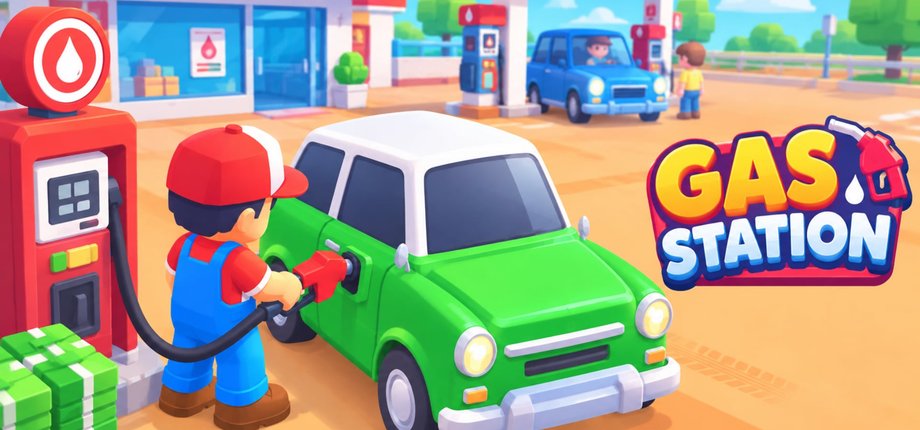
This Controls guide explains how to move, clear debris, and operate menus in Gas Station (Gas Station: Junkyard Tycoon) on browser and mobile. The game is simple on purpose—you are not juggling combos—but knowing the input model saves frustration when a pile will not break or a build button hides behind a quest popup. Continue progression topics in Getting Started and the rest of the Guides Hub.
Movement
Keyboard (browser / desktop)
- W A S D — move your worker around the yard.
- Arrow keys — alternate movement on many embeds if WASD feels awkward.
- Camera generally follows the character; you steer the person, not a free fly-cam.
Walk into interactive junk to start clearing when your tool level allows. If nothing happens, check for a Need tool lvl prompt rather than mashing keys—upgrade path is in Tool Upgrades.
Touch (phones / tablets / mobile browser)
- Swipe or drag on the ground to walk.
- Tap junk, pumps, helpers, and UI buttons to interact.
- Keep thumbs clear of ad banners on free portals so swipes register on the playfield.
Portrait and landscape both appear depending on host; if controls feel cramped, rotate the device or try the desktop CrazyGames page listed on the Links Hub.
Menus and building
Most economy actions live in on-screen panels:
- Quest tracker — usually top of the screen; tap it for objective detail when available.
- Build / upgrade panels — appear when you approach pads or tap economy icons.
- Helper / worker hire — tied to pumps and service points once unlocked (Helpers and Offline).
- Settings / profile — where language, audio, and sometimes gift code redeem live (Codes).
Click or tap once to open, again to confirm purchases. Double-check wood and cash costs before confirming; there is no deep undo for a misclicked pad.
Clearing junk
- Move next to the debris.
- Interact (automatic on contact in many builds, or tap when prompted).
- Watch for level gates—if blocked, leave and upgrade the tool.
- Collect the cash/materials feedback, then move to the next blocker on the road toward customers.
Prioritize entrance paths over decorative corners. The Upgrade Tier List Hub and Tools Hub both encode that habit.
Serving customers and pumps
Early on you may need to walk between pumps and interact manually. Later, helpers take over the busywork. Until then:
- Stay near active pumps when cars queue.
- Do not wander into a far junk pocket while a line waits—unless you are one tool upgrade away from opening a critical lane.
- After hiring, verify the helper is actually assigned; a paid worker standing idle helps no one.
Browser-specific tips
- Click the game canvas once so keyboard focus leaves the address bar.
- Fullscreen (when the host offers it) reduces accidental tab switches mid-clear.
- If WASD stops working, re-click the game and disable browser extensions that capture keys.
- Hard-refresh after a CrazyGames update if UI buttons look stuck (Updates).
Mobile-specific tips
- Use a stable grip; accidental notification swipes cancel movement.
- Lower graphics or close background apps if the Unity-based build stutters while you steer.
- On Google Play (
gas.station.idle), grant only the permissions you are comfortable with; gameplay itself is local idle management. - If a tap targets an ad instead of a build button, wait for the ad surface to close—never install sideload “control mods.”
Accessibility and comfort
Sessions can be short. If holding a direction is uncomfortable, clear one lane, buy the next quest item, and log off—offline earnings still apply when the station is set up correctly. Players who prefer less micro-movement should rush helpers after the first pump, as described in Expansion Build Order and the helpers guide.
Common control misunderstandings
- “Clicking junk does nothing” — tool level too low, or you are not close enough.
- “I cannot move” — canvas unfocused on browser; or a modal menu is open.
- “Swipe scrolls the page” — touch started on a host UI chrome instead of the game; tap center first.
- “Build button missing” — quest gate not met, or insufficient wood/cash.
- “Redeem code not found” — settings label differs by platform; see Codes before assuming a control bug.
Practice route for new players
- Spawn in, move in a small circle to confirm input.
- Clear two or three soft junk piles near the start.
- Open the quest panel mentally—match your next walk to its goal.
- Steer toward the road entrance; clear what you can.
- When gated, open upgrades, raise tool, return.
- Bring the first pump online, then bookmark Getting Started for economy habits.
Mastering controls is a ten-minute job. Mastering what to spend on takes longer—that is why this page links out to tier lists and expansion order instead of pretending keybinds alone make you rich.
When inputs feel good, jump back to progression: clear, build, hire, idle. The junkyard only pays once you can reliably walk it.
Frequently Asked Questions
Quick answers to the most common questions.
How do I move in Gas Station on PC?
Use WASD or the arrow keys after clicking the game view so it has keyboard focus. Walk into junk to clear it when your tool level allows.
How do I move on mobile?
Swipe or drag to walk and tap to interact with junk, pumps, and menus. Rotate the device if the UI feels cramped.
Why will junk not clear when I walk into it?
Usually a Need tool lvl gate. Upgrade the tool, then try again. It is not a broken control scheme.
Where is the gift code box?
Look under profile, avatar, or settings. Labels vary by CrazyGames vs Play Store vs Playables. See the Codes Hub for redemption steps.
Do I need a controller?
No. Keyboard and touch are enough. Focus on quests, tool upgrades, and build order after movement feels comfortable.